 Social Media Engine Help
Use Kanban to see each post’s state and available next action. Check the card and its channel statuses before acting.
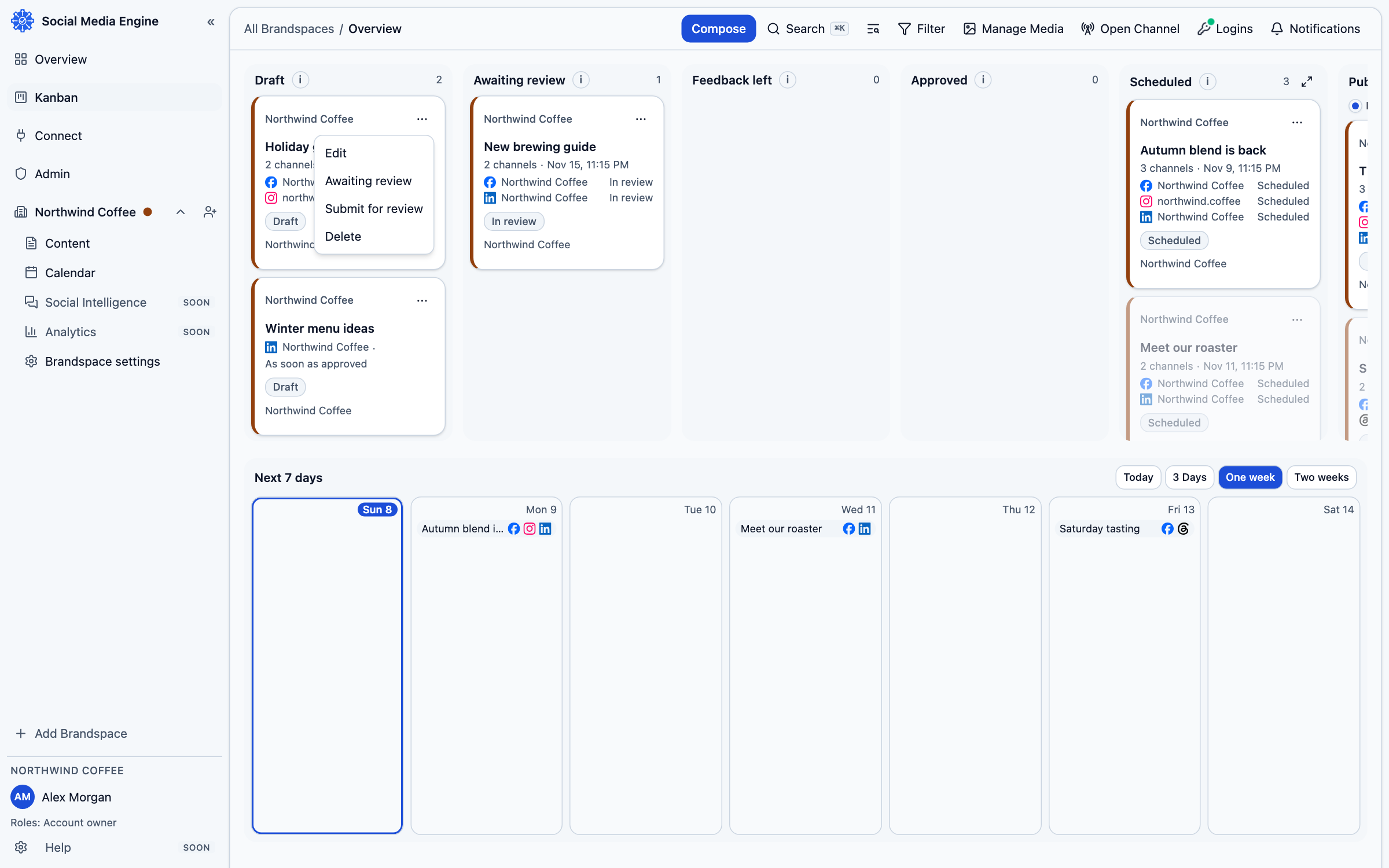
Read the columns
Cards move through Draft, Awaiting review, Feedback left, Approved, Scheduled, Published and Needs attention. The column tells you the current state, not simply the date. A post with several channels can be represented according to its least advanced channel, so check the channel lines on the card.
- Open Kanban from the sidebar.
- Find the post in its current column.
- Open the card to read its details and channel states.
- Use the card menu to choose an action that is available to your role and the post’s state.
- Reopen the board after acting to confirm the card moved.
Use the action that fits
A draft can be submitted with Submit for review. A reviewer can choose Approve or Request changes. A failed post may offer Retry; when the result could already have gone live, SME asks you to confirm it was not published before retrying. Published is the end state.
Common questions
Why can’t I edit a published post?
Published posts are not editable from the Kanban. Open an editable draft or make a new post if you need to publish a correction.